Project Configurator: Changed workflow for roles
Version 11.0.0.0
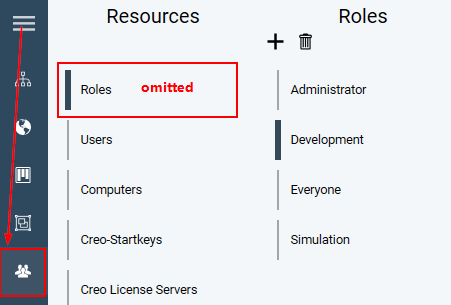
Roles are created and managed in the main menu item Organization  in the new tab Access. The section Roles in the menu item Resources is no longer available.
Access restrictions for projects (1) are defined by inserting them into the new tree for permissions (2). The permissions tree can include both units and free roles, i. e. from version 11.0.0.0, project access can be restricted to both a role and a unit, see unit-specific visibility of projects. The workflow has been modified to enable this new feature.
As usual, users are assigned to a role as static or dynamic entries in the tab Details (3).
User rights for GENIUS TOOLS Starter App are defined in the tab Function access (4), which appears when a role is selected.
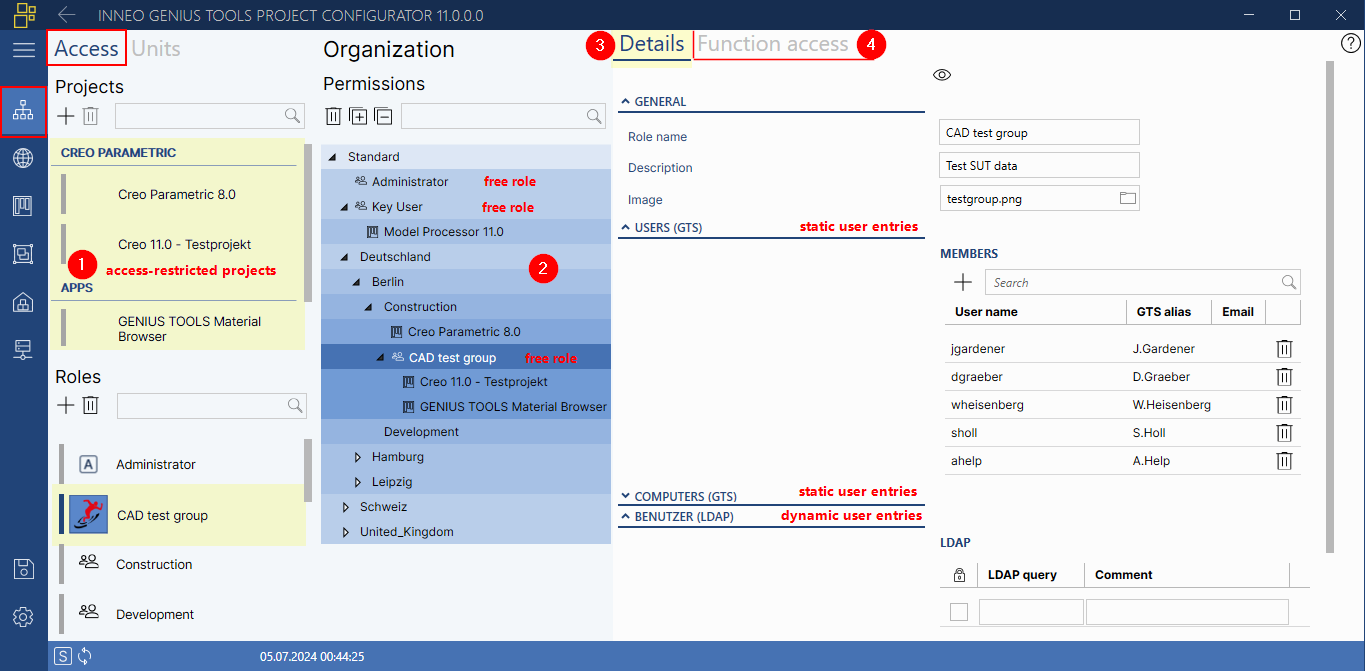
Managing roles in the new Access tab
The tree for permissions shows – like the tree for units – all units and subunits. These can restrict the access of a project. In addition, you can also use free roles  for defining project access in the permissions tree.
You can automatically migrate existing access-restricted projects when updating to version 11.0.0.0 and later, see Environment Administrator: Migrate access-restricted projects.
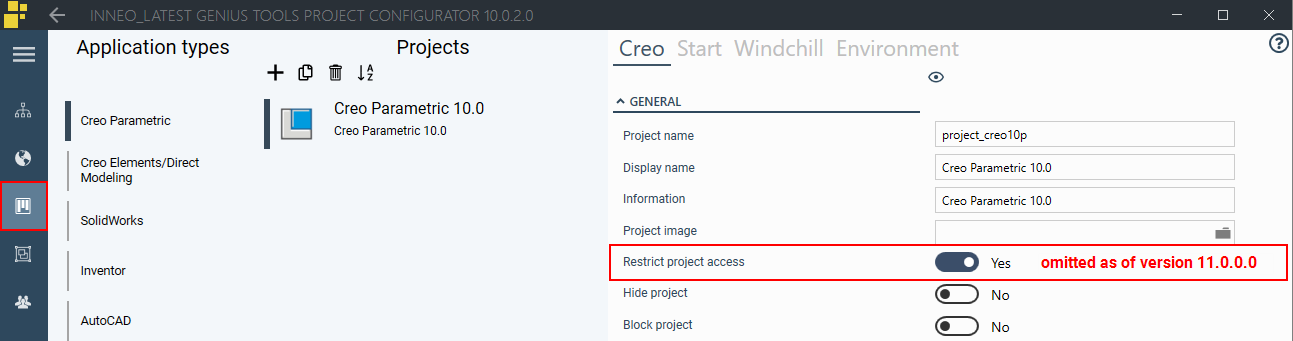
The button Restrict project access in Projects > Application types > Creo has been removed.
The section Roles in the menu item Resources has been removed.