Utilities – New function „Split Table“
Version 12.0.1.0
With Split Table, you can split a table and place the lower part to the right or left of the original table. The newly created table can be repositioned. This function be opened in Stack Note module in drawing mode.
Please note: GENIUS TOOLS Split Table is only available with subscription license. |
Please note: Split Table can be opened in Stack Note until Creo version 10.0.0.0 From Creo version 11.0.1.0 onwards, it is also a standalone function. |
User interface
The user interface of Split Table:
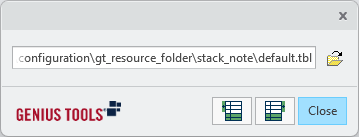
Starting the program: in drawing mode
To start Stack Note  , click GENIUS TOOLS in the ribbon menu and go to APPS section.

Starting via the GENIUS TOOLS in the ribbon menu
Click in the command bar on Split Table  :
:
