Starter App: Comparing Config.pro files
Version 11.0.1.0
In GENIUS TOOLS Config Editor you can compare and analyze files config.pro files.
Tip: Use the new feature in Version 11.0.1.0 which allows you to save a config.pro file in GENIUS TOOLS Starter App to a location of your choice. |
Compare
In the new drop-down menu of the Compare page  select Config.pro file (1) and specify the files to be compared. The following results are displayed:
–removed options
–added options
–changed options
–unmodified options
By double-clicking on one or more of the display options, you can hide these options.
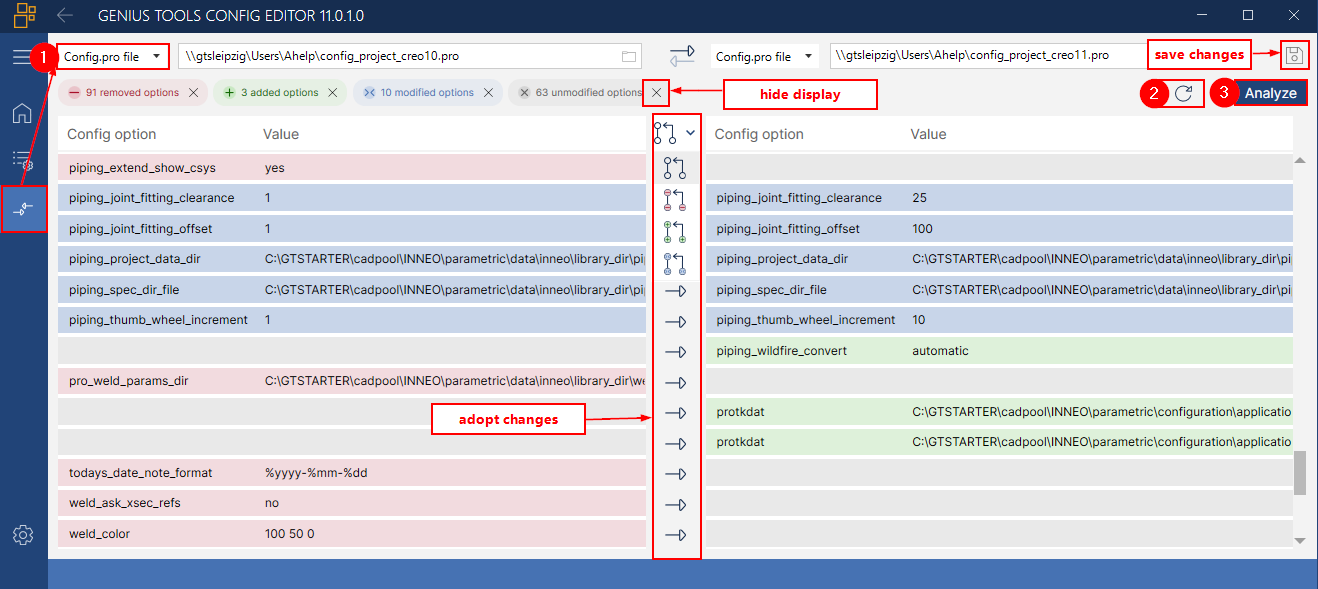
Comparing two config.pro files: unmodified options are not displayed
Apply changes
Clicking the arrow button  in the center applies changes to individual configuration options or mapkeys. As soon as at least one value or options has been modified, the Save button
  of the corresponding file becomes active.
In the drop-down menu in the center, you can apply several changes simultaneously:
 all changes,
 apply all removed options or mapkeys,
 delete all added options or mapkeys,
 apply all changed values.
The direction of the comparison can be reversed using the double arrow symbol  .
.
Reverse applied changes
If you want to reverse the changes you have made, click the Reload button  (2).
(2).
Analyze
The Analyze button (3) in the Compare page opens a dialog that displays duplicates, options, reusable options and mapkeys for each config.pro file.
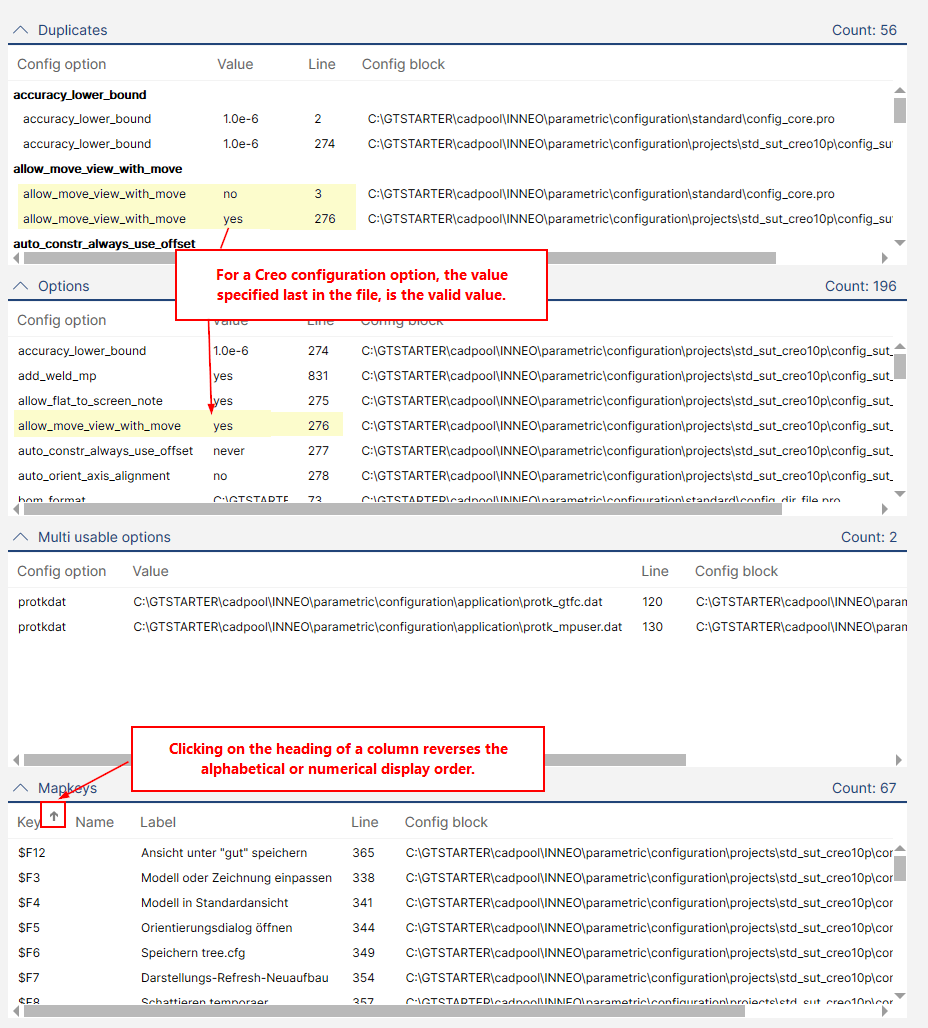
Analyze dialog
Find information on starting GENIUS TOOLS Config Editor in New features in version 8.0.2.